
Has Your Email or Password Been Leaked? How to Check and Protect Yourself Online
Data breaches often happen without you noticing. Learn how leaked data spreads, how to check if your email was exposed, and how to protect your accounts effectively.


Introduction
Most people assume that if they’ve never been hacked, their data is safe. Unfortunately, that’s rarely true. Every year, thousands of websites — from small online shops to global platforms — suffer data breaches, exposing millions of email addresses and passwords without users ever realizing it.
Your data doesn’t have to be stolen directly from you. Sometimes, all it takes is one vulnerable website you signed up for years ago.
 Contributors to Wikimedia projects
(Atack on HSE in Ireland from May 2021)
How Data Breaches Really Happen
When a website is compromised, attackers often gain access to user databases containing email addresses, hashed passwords, and other personal details. These databases are later shared, leaked, or sold online. Over time, collections of breached data become publicly searchable.
This is where tools like Have I Been Pwned come in.

Have I Been Pwned allows users to safely check whether their email address or password appears in known data breaches — without exposing their private information. If your email shows up, it means it was part of a breach somewhere, not that your personal inbox was hacked directly.
This distinction is important — and often misunderstood.

Why Reused Passwords Are the Biggest Risk
One of the most dangerous habits online is reusing the same password across multiple services. Once attackers obtain a leaked password, they automatically try it on:
- Email providers
- Social media platforms
- Online banking services
- E-commerce accounts
This method, known as credential stuffing, is one of the most common causes of account takeovers today.
How to Check if Your Data Was Exposed
Start with trusted tools such as:
- Have I Been Pwned — for email and password checks

- Firefox Monitor — for breach alerts

- MalwareBytes Digital Footprint — for email and password checks(recommended)

Checking your data regularly doesn’t make you paranoid — it makes you prepared.
What to Do If You Appear in a Breach
Changing your password after a data breach is essential — but what kind of password you choose matters just as much. Passwords based on simple patterns such as Default_password_A, Password123, or small variations of an old password are the first targets of automated attacks and offer little real protection.
What many users don’t realize is that stolen credentials are often stored in CSV files, Excel spreadsheets, or large databases, where they are processed at scale using automated scripts. In this context, passwords that are not only strong cryptographically, but also difficult to parse and handle automatically, can significantly slow down attackers.
Passwords that include characters such as:
'(apostrophe)"(quotation mark)\(backslash);|
and special characters placed inside the password, not just at the end
can frequently cause:
- parsing errors in CSV or XLS files
- failures in automated login scripts
- the need for manual data cleanup
- errors in brute-force and credential-stuffing tools
For attackers operating at scale, these issues are a real obstacle — and every obstacle costs time.
A strong password should therefore:
- be at least 14–16 characters long
- include uppercase and lowercase letters, numbers, and special characters
- place special characters within the password, not only at the end
- not resemble any previous password
- be unique for each service
Example of a password that is both cryptographically strong and inconvenient for mass processing:
R!v"7aK'9_Me#2|Z
The goal isn’t to create a password that is “impossible” to crack — it’s to create one that:
- doesn’t match dictionaries
- breaks common patterns
- slows down automated tools
- discourages further attempts
In a world of mass attacks, that is often enough for your account to be skipped in favor of an easier target.
What Is Two-Factor Authentication (2FA) — and Why It Matters
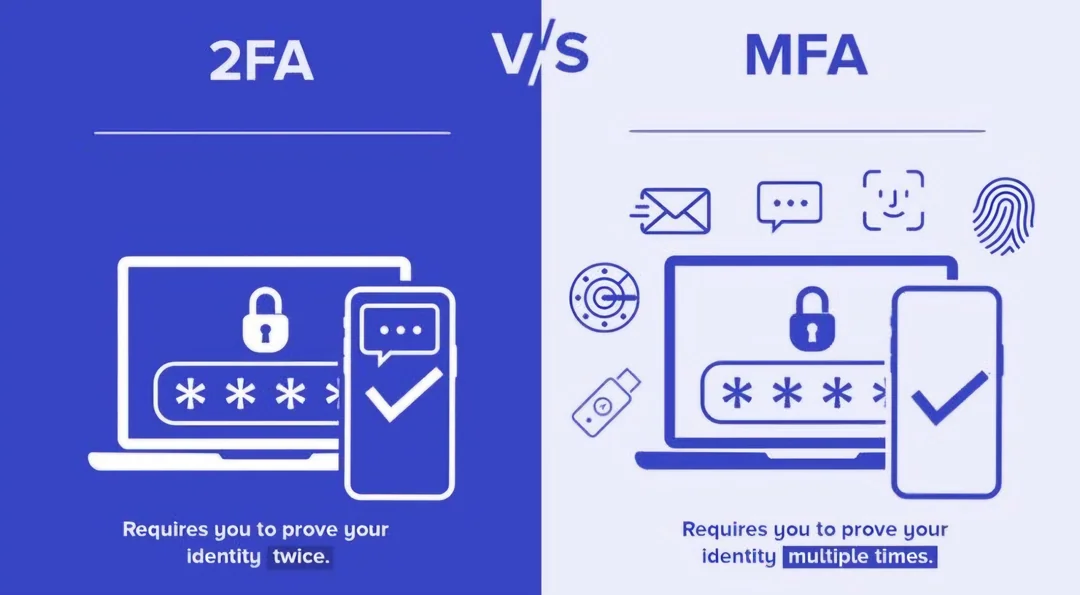
Two-Factor Authentication (2FA) is a security method that adds a second layer of protection to your accounts. Instead of relying only on your password, 2FA requires an additional form of verification to confirm that it’s really you trying to log in.
Even if your password has been leaked or guessed, 2FA can prevent unauthorized access by requiring something you have in addition to something you know.
How 2FA Works
When 2FA is enabled, logging in usually follows these steps:
- Enter your username and password
- Provide a second form of verification, such as:
- a time-based code from an authenticator app (Google Authenticator, Authy)
- an SMS code sent to your phone
- a hardware security key
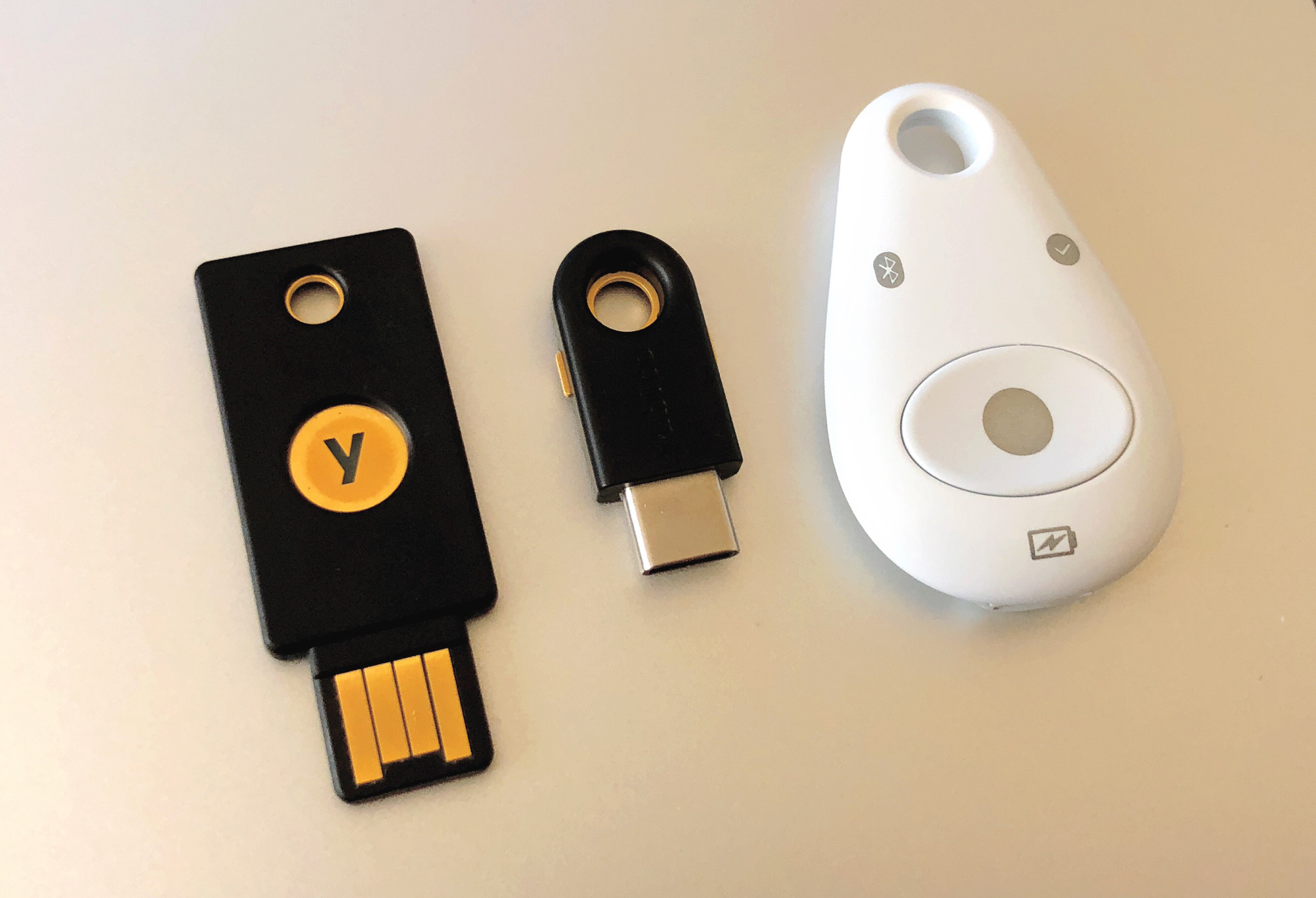
Access is granted only after both steps are successfully completed.
Why 2FA Is So Effective
Passwords alone are vulnerable. They can be:
- leaked in data breaches
- guessed using automated attacks
- reused across multiple services
2FA blocks most automated attacks. Even if an attacker has your password, they still need your second factor — which they usually don’t have. This is why enabling 2FA is one of the simplest and most effective security steps you can take.

What is MFA (Multi-Factor Authentication)
2FA is actually a subset of Multi-Factor Authentication (MFA). MFA works on the same principle, but can use more than two factors for even stronger protection. For example, an MFA setup might combine:
- your password
- a code from an authenticator app
- a biometric factor such as a fingerprint
MFA provides even stronger security, especially for sensitive accounts like banking, cloud platforms, or administrative systems.
Conclusion
Data breaches are no longer rare events — they are part of the modern internet. While you may not be able to prevent a website from being hacked, you can control how much damage a breach can cause.
Knowing where to check your data, understanding how breaches happen, and following good security practices turns you from an easy target into a much harder one.
At SiteForge, we believe cybersecurity starts with awareness — and the best defense is knowing before it’s too late.